Folder - Selection
Dialog selections are discussed below the image. To navigate to an item, select it in the [insert] image. If NOT selecting any item and wanting to return to the prior page: swipe right-to-left; use the browser’s ‘back’ arrow; or use the Wiki’s Backlink icon  on the right sidebar (mobile: drop-down dialog at the top of the page).
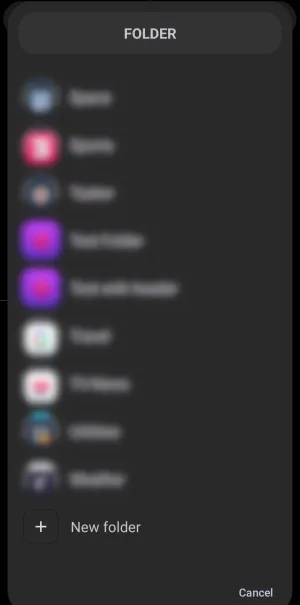
Folder - Selection dialog. Make selection above.
Folders are user-created holders for apps, shortcuts, and other elements. The container appears as an icon. On this page, selecting a folder opens that folder when activating an object by tap, swipe up, swipe down, swipe left, or swipe right, or as part of a sequence. This selection returns the user to the previous dialog, showing the folder as the selected action.
The Folder - Selection dialog lists all Total Launcher folders created on the user's device. They are unique to each device. If an existing folder is selected at this point, that folder may
- be placed on the current TL page, selected, ready for the user to customize it by position, options, pinning to the page(s), copying, changing its z-order, deleting it, etc. (Note: This action will also happen if Cancel is selected since a 'default' object is still placed on the page.)
- or be included in a
Sequenceaction.
Blurred folders in this demo dialog existed on the demo device only. There are 2 selections for this interactive demo:
- New folder - Since no existing folder has been selected, selecting this will open the
Folder - Optionsfor a new folder for customization. Further discussion is on that page when selected. - Cancel - As described in the above paragraph, the object was created and shown on the page as selected, but since it was not customized, it is in a default object state. You can still customize and perform object actions (not folder actions) via the Object Design menu. If
Cancelwas the intended action, the usual next step is to selectDeletefrom the Object Design menu and start again.
===== Hidden Index Anchors ===== ui-folder-options ui-object-image-default_cancelled ui-option-action_tap
Comments & Feedback
Toby Lancer is ready to help! Look for the Quick Help form:
► Desktop: left sidebar located near the bottom for Private to Admin
► Mobile: 3-bar menu at page top.
► Use the Discussion section below to share any experiences and communications with other Total Launcher users.
► Any Registered User can directly update this and any wiki page if desired.
Moderation: To keep the manual clean, all comments are held for appropriateness review. Preview any comment before submitting it. It will not be displayed after submission until it is reviewed. So, please, do not resubmit.
Formatting: If using any code snippets, place them inside code tags (e.g., 'code') using double single quotes (') before and after to keep them readable.
Be Kind: This is a community effort. Please keep feedback constructive and on topic.
~~DISCUSSION~~