meta data for this page
- en
Shadows: Rule 5 - The Contrast Wall
This is a visibility rule … “If a shadow isn't seen … there is a contrast wall!”
In the Android rendering engine, shadows are not solid objects; but instead are mathematical blurs applied to the background. For a shadow to be visible, there must be a significant difference in brightness (Value) between the shadow and the wallpaper.
The Luminance Floor
The “eye” recognizes brightness as the subjective value of a measure of luminance. On dark backgrounds (a luminance value < 20%, such as OLED black), low-alpha shadows effectively “sink” into the darkness and disappear. The “eye” does not register them.
- The Problem: When a light color is spread over a large radius, the “Luminance Density” drops. A 20% white shadow spread over a 50px radius becomes so thin it is invisible to the human eye.
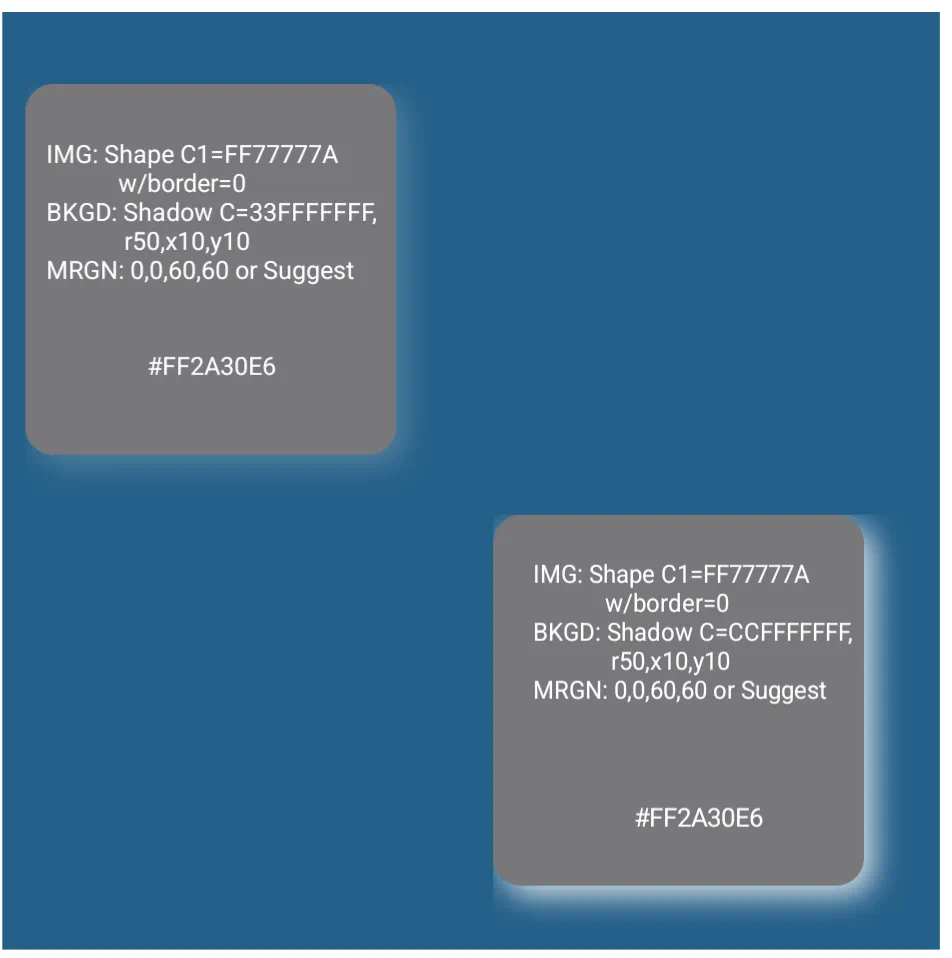
- The Solution: To stay visible on dark themes, use a Higher Alpha (80%+) or Solid Colors.
Alpha Visualized
Shown here are reference characters of the Alpha's for “AA”RRGGBB:
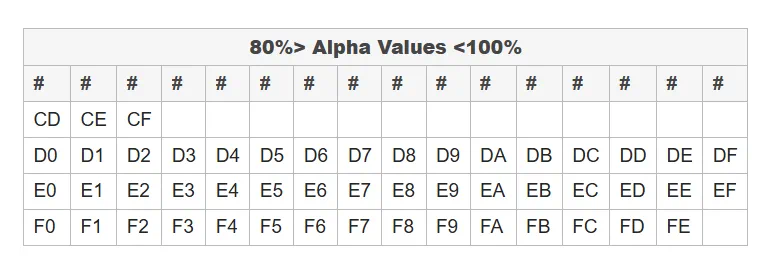

| Alpha cheat sheet (most useful values) |
||
|---|---|---|
| Color Picker Hex: FB00FA37  |
||
| Alpha | Transparency | Glass Effect |
| FF | 100% opaque | Solid |
| E6 | 90% | |
| CC | 80% | Almost solid |
| B3 | 70% | |
| 99 | 60% | |
| 80 | 50% | Heavy glass |
| 66 | 40% | |
| 4D | 30% | Medium glass |
| 33 | 20% | Light glass |
| 1A | 10% | Very light glass |
| 00 | 0% transparent | |
Alpha Test Results
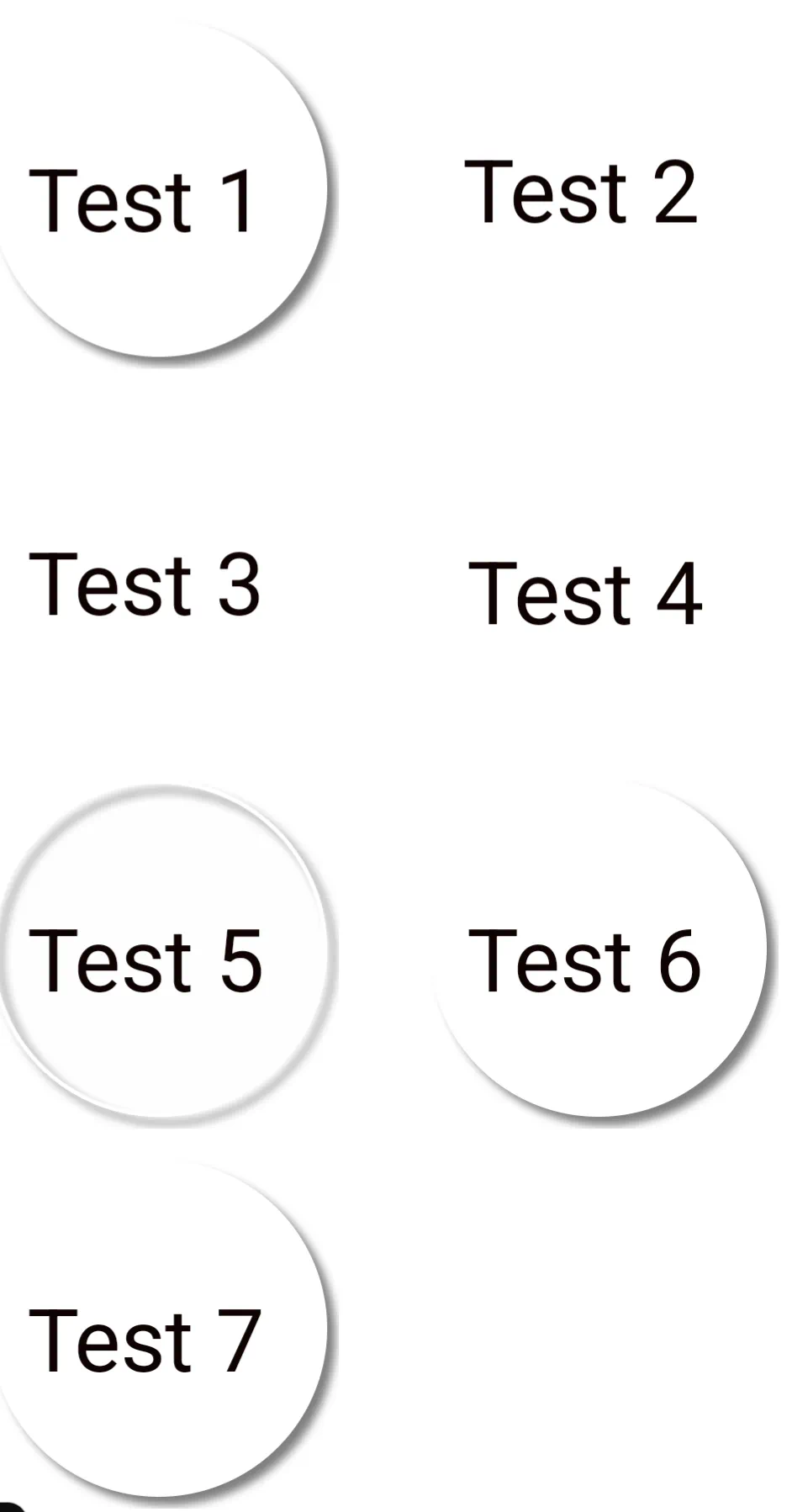
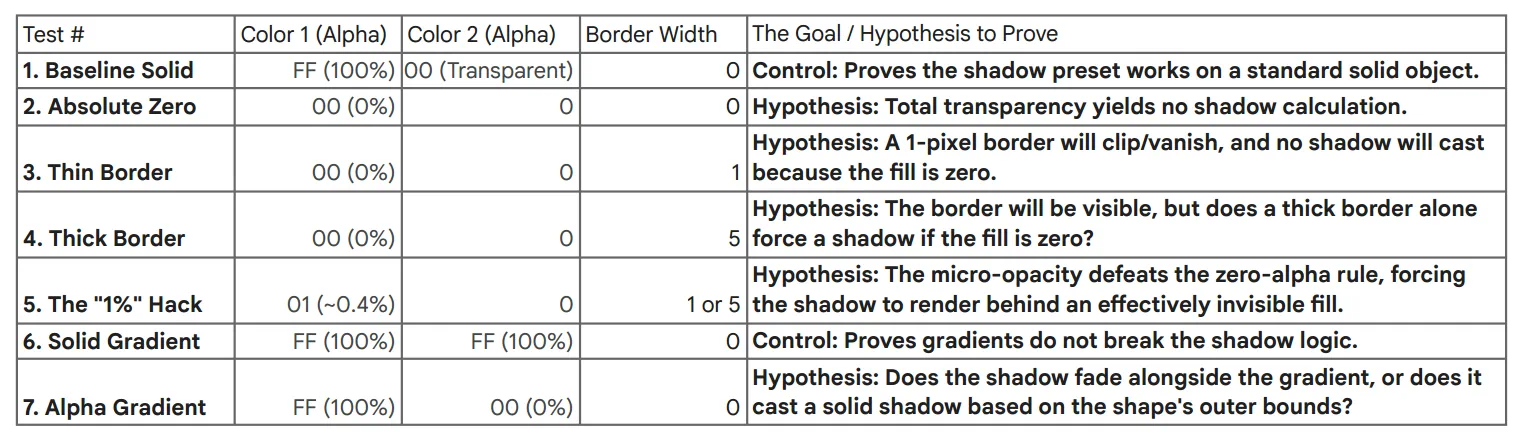
The images below show shadows (or lack of a shadow) when using the noted shadow options in the launcher's shadow dialog:
Shadow Contrast Summary
| Summary: | |||
|---|---|---|---|
| Background Type | Shadow Strategy | Recommended Alpha | Result |
| Light Wallpaper | Dark/Black Shadow | 20% – 50% (`40` to `80`) | Success: Soft, realistic depth. |
| Dark Wallpaper | White/Light Glow | 80% – 100% (`CC` to `FF`) | Success: A visible “Halo” or “Ambient Lift.” |
| Dark Wallpaper | Any Shadow Color | Below 50% (`80`) | FAILURE: Shadow vanishes into the background noise. See this hack to overcome the failure. |
Comments & Feedback
Toby Lancer is ready to help! Look for the Quick Help form:
► Desktop: left sidebar located near the bottom for Private to Admin
► Mobile: 3-bar menu at page top.
► Use the Discussion section below to share any experiences and communications with other Total Launcher users.
► Any Registered User can directly update this and any wiki page if desired.
Moderation: To keep the manual clean, all comments are held for appropriateness review. Preview any comment before submitting it. It will not display after submission until reviewed. So, please, do not resubmit.
Formatting: If using any code snippets place them inside code tags (e.g., 'code') using double single quotes (') before and after to keep them readable.
Be Kind: This is a community effort. Please keep feedback constructive and on topic.
~~DISCUSSION~~