Table of Contents
<!-- googleoff: index -->
⚠️ v4.0 UI Transition Notice - In Process: The release of Total Launcher v4.0 has introduced significant user interface changes. Please note that this page does not yet reflect these updates. The new layout paths, folds, and visual maps are currently being compiled and will be deployed shortly.
<!-- googleon: index -->
Note: The image below is a static preview and contains no clickable dialogs. To navigate away after reviewing:
- Go Back: Return to the Widget Select page or use the browser's back arrow (swipe right-to-left).
- Explore: Choose a new topic from the left sidebar menu.
Widget: App Drawer (pager)
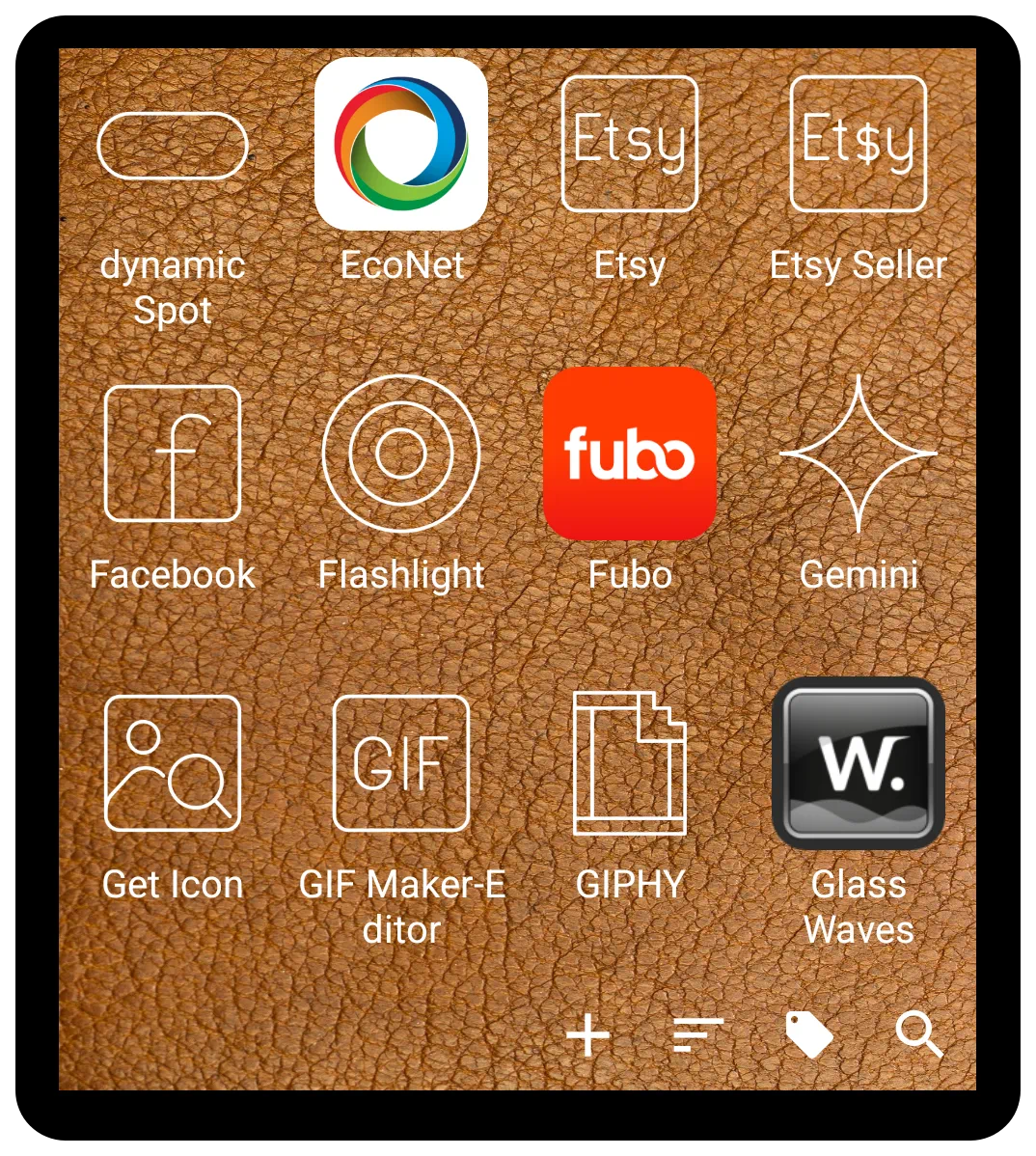 | The App drawer (pager) is a distinct, built-in widget that offers an alternative to the standard 'App drawer' for displaying and organizing applications. It is designed as a customizable container that holds user-selected apps and folders, featuring either vertical or horizontal scrolling. Its primary difference lies in its presentation and built-in functionalities, which can provide a more structured and efficient user experience. |
The App drawer (pager) can be accessed and added by entering Edit Mode > the Add icon (+) > Widget, then navigating the list of built-in widgets and selecting it.
Key Differences and Benefits
While the standard “App drawer” is highly customizable, the App drawer (pager) widget provides a different structural approach and unique features. A user may prefer this format for the following reasons:
- Paging versus Scrolling: The fundamental difference is the paginated layout. Instead of a single continuous list, applications are organized across distinct pages that are navigated with a swipe. This can improve organization by allowing users to group apps by category or frequency of use on separate pages. Quick scrolling is also offered as in this demo of both vertical and horizontal scrolling.
- Built-in Search Functionality: The 'App drawer (pager)' widget includes an integrated app search feature. This provides a significant advantage for users who want to quickly find an application without scrolling through pages or returning to the home screen to use a separate search widget.
- Display Customization: This widget allows for specific display configurations that differ from the standard drawer.
- An option exists to display applications as a text-only list, without icons. This is beneficial for users seeking a minimal and clean interface.
- Sorting Options: It can be configured to show the most recently used applications at the top of the list, providing quicker access to frequently opened apps.


Comments & Feedback
Toby Lancer is ready to help! Look for the Quick Help form:
► Desktop: left sidebar located near the bottom for Private to Admin
► Mobile: 3-bar menu at page top.
► Use the Discussion section below to share any experiences and communications with other Total Launcher users.
► Any Registered User can directly update this and any wiki page if desired.
Moderation: To keep the manual clean, all comments are held for appropriateness review. Preview any comment before submitting it. It will not be displayed after submission until it is reviewed. So, please, do not resubmit.
Formatting: If using any code snippets, place them inside code tags (e.g., 'code') using double single quotes (') before and after to keep them readable.
Be Kind: This is a community effort. Please keep feedback constructive and on topic.
~~DISCUSSION~~